AZADE VAKILI

DuoFit is a subscription-based smart fitness assistant that reimagines exercise for modern lifestyles, making physical activity accessible anytime, anywhere.
MY ROLE
UX/ UI designer
PLATFORM
iOS/ Android app
TIME
9 month
YEAR
2020
CONTRIBUTION
DELIVERALBLES
-
Ideation
-
Competitive analysis
-
User flow, Sketching
-
Wireframes
-
Interaction design
-
Created user journey maps across device, app, and workout experience
-
Designed and prototyped the companion app for usability testing
-
Defined interaction flows between the smart device and app
-
Conducted user testing and implemented key UX improvements
RESEARCH
For the DuoFit project, I led user research to better understand the needs, behaviors, and motivations of our target audience. This included conducting surveys, one-on-one interviews, and observational studies with individuals ranging from casual movers to professional trainers. The insights gathered helped identify key pain points in existing fitness solutions and informed the design of a more accessible and motivating experience. Based on this research, we developed detailed user personas that captured distinct user goals, challenges, and contexts—guiding design decisions throughout the project and ensuring the product remained user-centered.

DEFINE
As a UX designer on the Footwork project, I began by defining the overall user experience strategy across three core pillars: the physical device, the movement system, and the companion app. I worked cross-functionally with product managers, movement experts, and engineers to align on user needs, technical constraints, and business goals. This foundational phase involved identifying target users, outlining key use cases, and mapping the ecosystem to ensure a cohesive and accessible fitness experience that could adapt to different lifestyles and abilities.


DEVICE USER JOURNEY
Focusing on the physical device, I designed the end-to-end user journey from onboarding to daily interaction. This included defining how users would engage with the smart ball through touch, motion, haptic feedback, and voice prompts. I collaborated with hardware teams to ensure that each interaction—charging, syncing, exercising—was intuitive and supported by meaningful feedback through LED cues and audio signals. The goal was to make the device feel like a natural extension of the workout, seamlessly integrating with the app and movement routines.


DESIGNING COMPANION APP
TASK FLOW
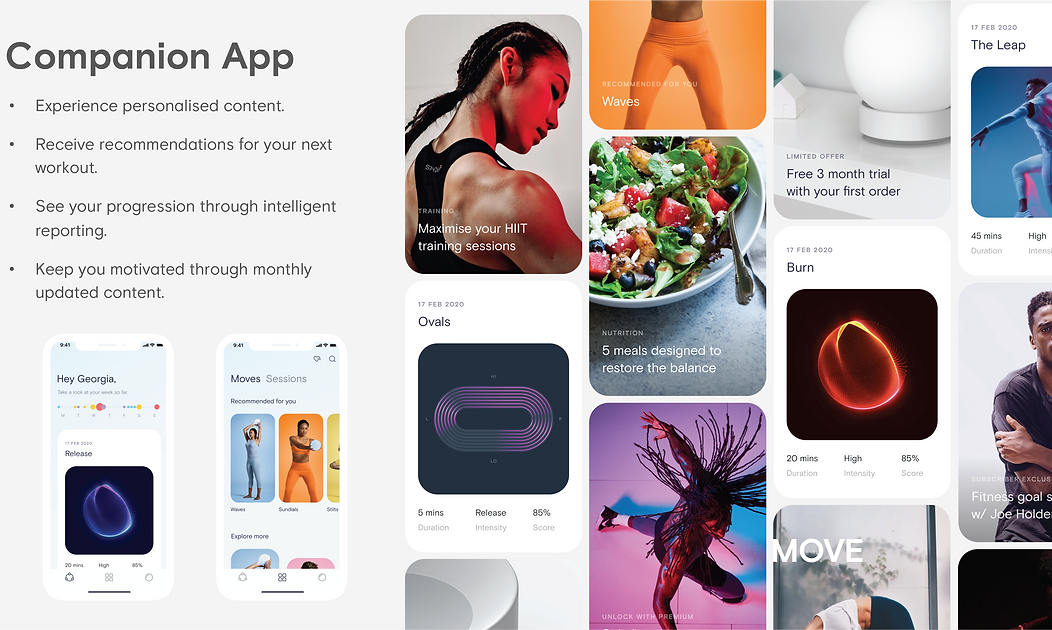
To support a seamless user experience, I created a detailed app task flow that maps out key user actions—from onboarding and device pairing to starting a workout and tracking progress. This flow helped identify critical touchpoints, reduce friction in navigation, and ensure that each step logically supports the user’s goals. It served as a foundation for designing intuitive screens and interactions aligned with both the physical device and movement system.


APP USER JOURNEY
The app user journey was mapped to capture the full experience—from onboarding and device setup to workout engagement and progress tracking.
This process highlighted key moments of motivation and potential friction, informing design decisions that prioritized clarity, ease of use, and personalized feedback. Insights from the journey mapping ensured the app experience aligned with user expectations and supported long-term engagement.

LOW-FEDELITY WIREFRAME DESIGN


Low-fidelity wireframes were created to explore layout options, information hierarchy, and core functionality of the app before investing in detailed visuals. These wireframes allowed for quick iteration and early feedback on navigation flows, screen structure, and user tasks. The focus was on clarity and usability—ensuring that key features like workout selection, device pairing, and progress tracking were intuitive and accessible. This phase helped validate foundational design decisions and set the stage for high-fidelity prototyping.
USER TESTING
User Testing & Feedback
-
Smart Ball:
-
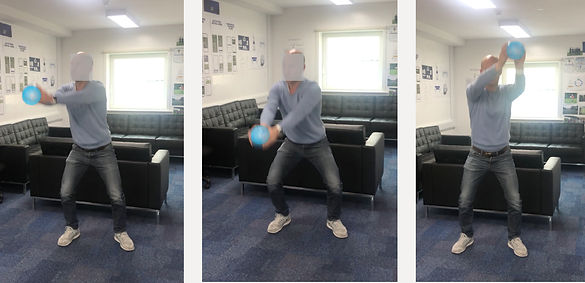
Tested interactions such as pairing, gesture recognition, and haptic feedback
-
Users had difficulty knowing when the device was connected → added clearer LED signals and audio cues
-
Feedback helped refine physical interactions to feel more responsive and intuitive
-
-
Companion App:
-
Focused testing on onboarding, workout navigation, and progress tracking
-
Users requested clearer guidance for first-time use → added an interactive tutorial and voice-assisted instructions
-
Navigation and feedback loops were adjusted to reduce friction and improve clarity
-
-
Overall, user testing helped align the physical and digital experience, ensuring the system felt seamless and supportive throughout the workout journey
HIGH-FEDELITY WIREFRAME DESIGN


Component Design & Collaboration
Worked closely with the UI designer to create a reusable component system, ensuring consistency across the app. I focused on interaction and behavior, while the UI designer handled visual styling and accessibility. This collaboration streamlined prototyping and maintained a cohesive user experience.